Bulk schedule social media posts with CSV and Google Sheets
CSV, Google Sheets, API and MCP submissions share destination media checks. URL access checks remain in place; file format, size, supported media types, and available dimensions or duration also matter. Bulk errors identify the source row before new rows are scheduled. Replace incompatible files or use Fix images in the Postly channel preview, then review the result. Videos require manual export when incompatible. A limited MP4/MOV header check can identify encoding and reported frame rate; incomplete checks are guidance, not a failed upload or a reason to resubmit an accepted post. Review image and video requirements. Prepare videos for publishing.
Upload a CSV, let Postly validate your rows, and automate publishing across your channels.
Any URLs showcased on this page are sample examples for formatting and validation guidance only. They are not real customer URLs, not guaranteed live assets, and should not be treated as production links.
Upload a CSV, validate your rows, and automate bulk publishing across your channels.
Want a more powerful bulk workflow?
Try Google Sheets Bulk Publishing — it's the advanced mode for managing large content plans.
Bulk Post guide
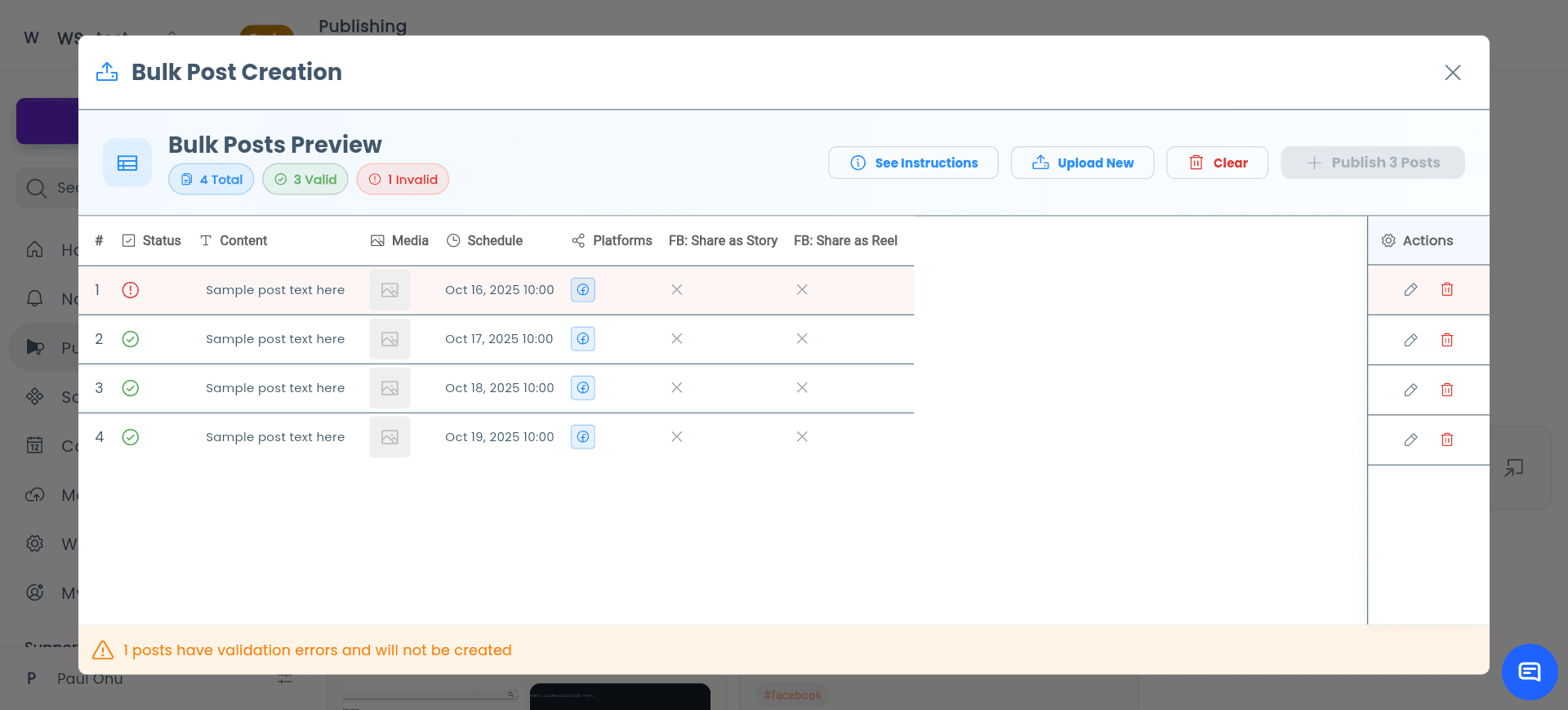
Prepare a CSV, give each destination the right copy, review platform and media validation, then publish or schedule the valid rows.
- Download a fresh platform-specific template before each batch. Choose only the destinations and fields you need; the full template remains available. Keep the first row as headers.
- Do not rename or reorder headers.
- Keep text and due_date, plus all fields required by your destinations. Optional columns can be removed.
- Set a time for each post, or queue it for immediate publishing.
- Review the timing for each destination workspace before submitting.
- See date examples and international formats below
Facebook Feed Post or Facebook Linked Carousel?
For a normal multi-image feed post, use share_to_facebook_feed=true and up to ten image URLs. This does not create linked cards.
Facebook Linked Carousel is a separate feature with two to ten image cards and a destination URL per card. CSV and Google Sheets currently have no fields for those cards. Create them in the dashboard or use the API/MCP card settings; do not enable share_as_facebook_carousel in a bulk row.
Choose when to publish
Your workspace timezone appliesSchedule for later
2030-09-10 14:30Recommended: YYYY-MM-DD HH:mm
Publish now
NOWQueues immediately, subject to approval
Fill in due_date, then check the timing preview. Blank dates never publish.
International date formats
- USA · month first
9/4/30 2:30 PM- UK / Europe · day first
DMY: 9/4/30 14:30- Year first
2030/9/4 14:30- Month name
4 Sep 2030 14:30
Ambiguous numeric text defaults to US month/day order: 9/4 means September 4. Use DMY: for April 9, or spell the English month. Unambiguous day-first dates such as 14/9/30 14:30 also work.
Use slashes, hyphens or dots, with 24-hour time or AM/PM and optional seconds. Two-digit years mean 2000–2099. Always include a time; date-only text, timezone suffixes, relative dates and raw spreadsheet serial numbers are not accepted.
Google Sheets and timezones
Google Sheets interprets date/time cells using its spreadsheet locale. Postly reads the wall-clock time in the spreadsheet timezone and schedules it in the destination workspace timezone. Text cells follow the international formats above.
No Action or Timezone column is needed. Your calendar display preference does not change text import rules. Existing templates remain compatible. Check the cell, workspace settings and timing preview before sending.
Validation and publishing results
- Correct missing, past, invalid and ambiguous or nonexistent daylight-saving times before submitting. New Date cells start blank. NOW is case-insensitive.
- Review the dates, workspaces, channels and publish-now counts before confirming. Queued, scheduled and awaiting approval do not mean published; delivery is not necessarily instantaneous.
- In Google Sheets, choose Refresh post results to check delivery.
- Retry unchanged rows after an interrupted request to reuse the same posts. Changing a row creates a new submission. Existing posts with missing schedules need correction and never publish automatically as a backlog.
Put instagram,threads in the platforms column. Keep your shared caption in text, then add a Threads-specific version in threads_text. If the override is blank, Threads uses the shared text.
The preview validates the effective Threads copy against its 500-character limit. The same override pattern is available for every supported destination, such as instagram_text, discord_text, and ghost_text.
- Postly checks character and hashtag limits for every selected platform.
- Use the AI action on a flagged row to create shorter platform-specific copy while preserving the shared version.
- Image URLs are checked for access and destination requirements. Fix incompatible source files before resubmitting, or use supported image repairs in the channel preview.
- Video issues are flagged with the platform requirement so you can replace the source file.
Bulk publishing supports Facebook, Instagram, Threads, X, LinkedIn, Google Business Profile, Pinterest, YouTube, TikTok, Bluesky, Telegram, Discord, WhatsApp, WordPress, Ghost, Hashnode, DEV Community, and Blogger.
Media URL examples
Use direct/public URLs. Avoid private or permission-gated sources such as Google Drive, and similar services.
https://www.youtube.com/watch?v=dQw4w9WgXcQhttps://youtu.be/dQw4w9WgXcQhttps://vimeo.com/76979871https://download.blender.org/peach/bigbuckbunny_movies/BigBuckBunny_320x180.mp4https://cloud.postly.ai/media/your-video.mp4
https://youtube.com/shorts/XXXXXXXXXXXhttps://drive.google.com/file/d/FILE_ID/view?usp=share_link
https://upload.wikimedia.org/wikipedia/commons/9/9a/Gull_portrait_ca_usa.jpghttps://cloud.postly.ai/media/your-image.jpghttps://static.cdn.example.com/banner-v3.png
https://www.instagram.com/p/XXXXXXXXX/https://photos.google.com/share/XXXXdata:image/png;base64,iVBORw0K...
Plan your first publish
How do I bulk schedule social media posts?
Download a current Postly CSV template for the platforms you need, add your post text, media references, and required due_date values, then upload and validate the batch. Resolve errors before importing and review each row’s result afterward.
A practical example
For a two-week campaign, prepare separate rows for each post and destination. Use future dates such as 2030-09-10 14:30, check the workspace timezone, and validate media links before confirming the batch.
Before you schedule
- Use a freshly downloaded template; available fields can change.
- Blank dates do not publish. NOW queues immediate publishing and still follows approvals.
- Postly interprets dates using each destination workspace’s timezone.
- Check queued, scheduled, awaiting-approval, and published results separately.